Ameliorate Update 1/8/24: A Place for Everything
Ameliorate is a tool for discussing and mutually understanding tough problems.
Check out this blog post for the tool’s motivation, goals, plans, and an initial demo.
TLDR
- Join this mailing list to get an email when I publish a blog post; I’m moving my posts from Medium to Substack
- New features: add more details, add questions & facts, use custom nodes/edges
- Tune in to the live stream this Thursday 1/11/2024 at 7pm CT for a demo of these features!
- Upcoming features will focus on complementing live discourse
- I’ll be hosting discourse sessions to test out and improve Ameliorate; join this other mailing list if you’d like to receive invites to participate
Hey all 🙂, and welcome back to the second update post for Ameliorate ! Like last time, I’ll be sharing the latest features I’ve been working on, and going over what I plan to focus on next.
There’s a lot to see - feel free to join me at the demo live stream this Thursday 1/11/2024 at 7pm CT!
Side note: I’m moving my posts from Medium to Substack because people don’t need an account to subscribe to Substack (full reasons here if you’re curious). So join this mailing list if you want to get notifications when I publish a blog post.
New Features
For this update, the focus was on providing places to put any kind of information that might be relevant to a topic. If you’d like to follow along within the tool as features are described here, most of them are demoed in this topic .

Details Pane
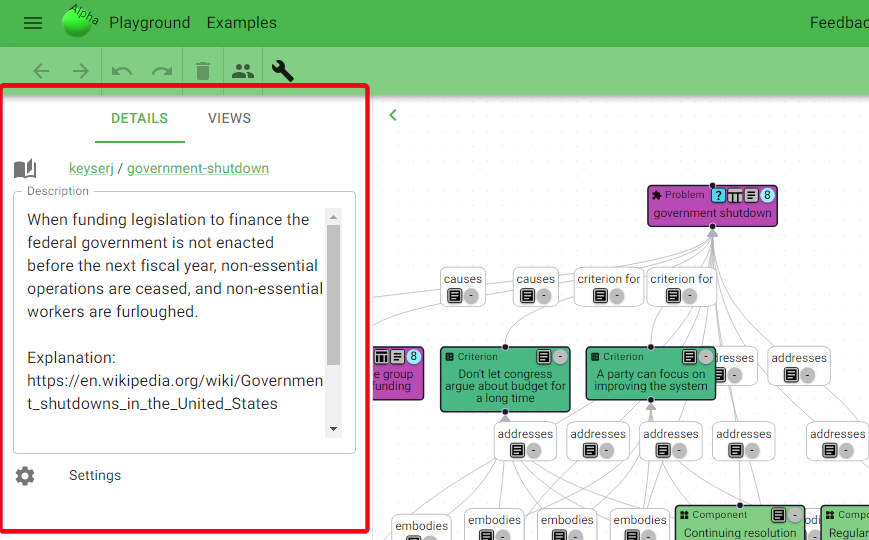
The first new feature is the details pane! Here, you can add a description for your topic:
And when you click on a node or edge, you can see details for it:
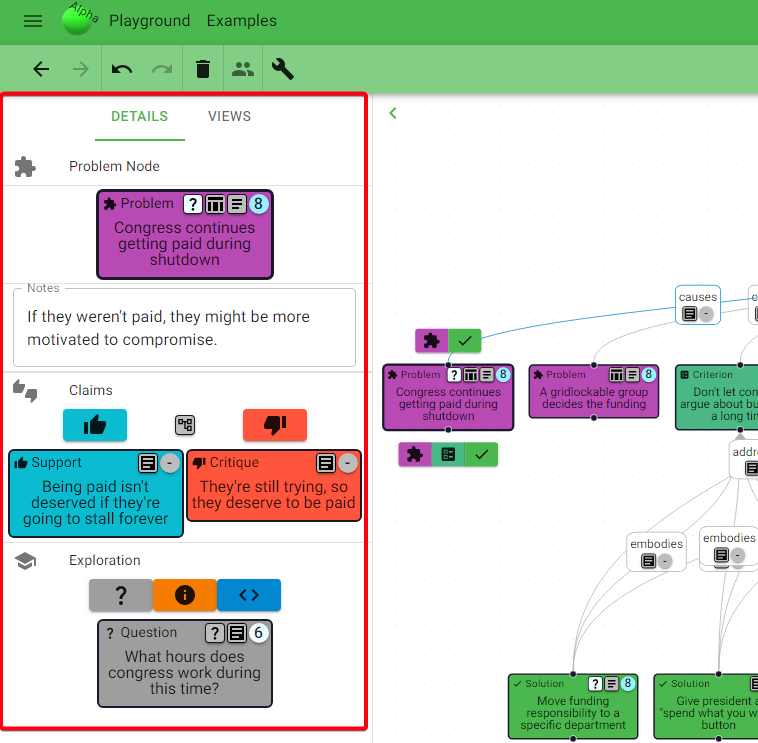
The first new thing you can enter here is a note:
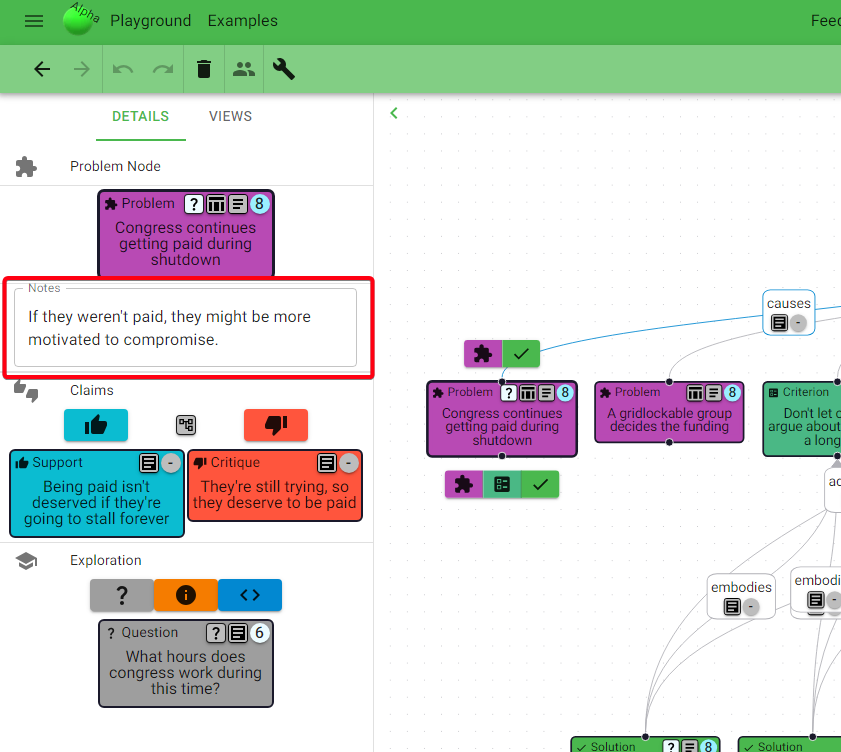
Since a node’s summary is very brief, notes provide a nice place to put extra explanation, description, or ideas.
The description of the topic and notes in each node can also be used as fallback places to put information that may not seem to fit anywhere else.
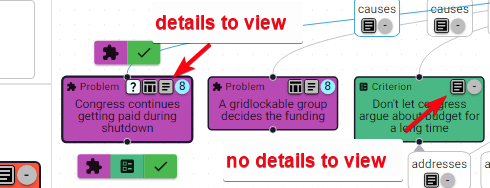
Below the notes, I’ve also decided to add the node’s top-level supports and critiques, so that you don’t have to leave the diagram to get an idea of relevant arguments being made. And with that, I changed the claim indicator into a details indicator, indicating if the node has any details (notes, claims, etc.) to view.
Exploring a Topic
The next thing you might notice in a node’s details is the Exploration section:
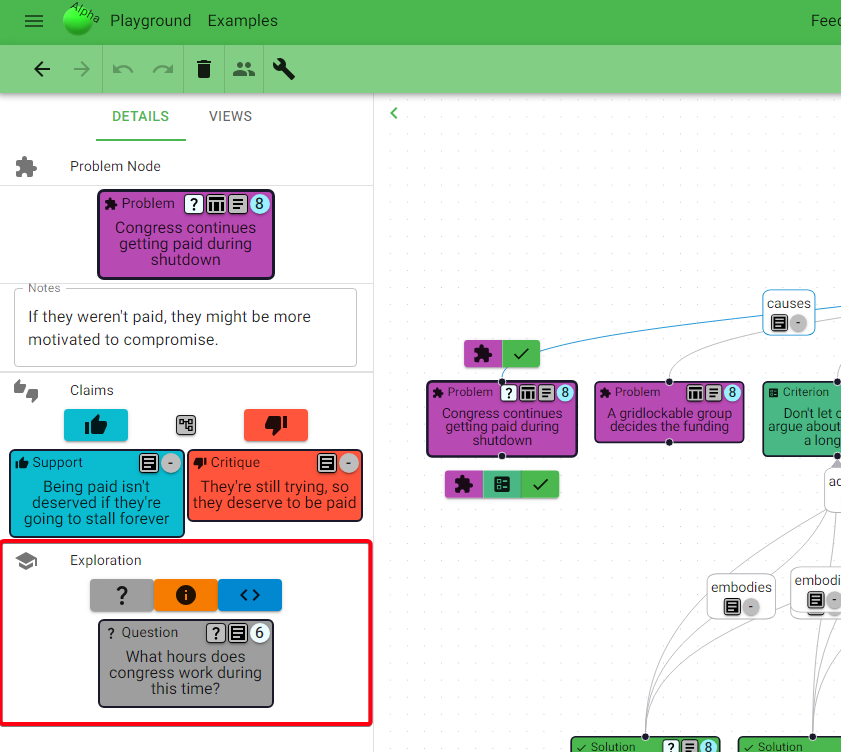
This is a bit of an experiment. I often want to call out questions that come to mind, and to be able to convey how important I think they are. And for these questions, I want to do some research to answer them and organize the information I’ve found.
So I added a few new node types: Questions, Facts, and Sources. These can be added as relevant for any node, and Questions can also have Answers. Since these are nodes, you can also score them and add justification about their importance.
There’s not a lot of space in the main topic diagram, so these are kept off to the side, in the details pane. But to help provide more visibility, there’s a question indicator that appears if the node has a question:
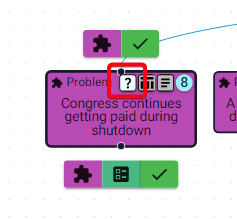
If any of the node’s questions are scored as important, this indicator’s color will match the color of that question’s score, so you can also be clued into which nodes have important questions.
There’s also an Explore Diagram, where you can view all the exploration nodes and where they’re relevant:
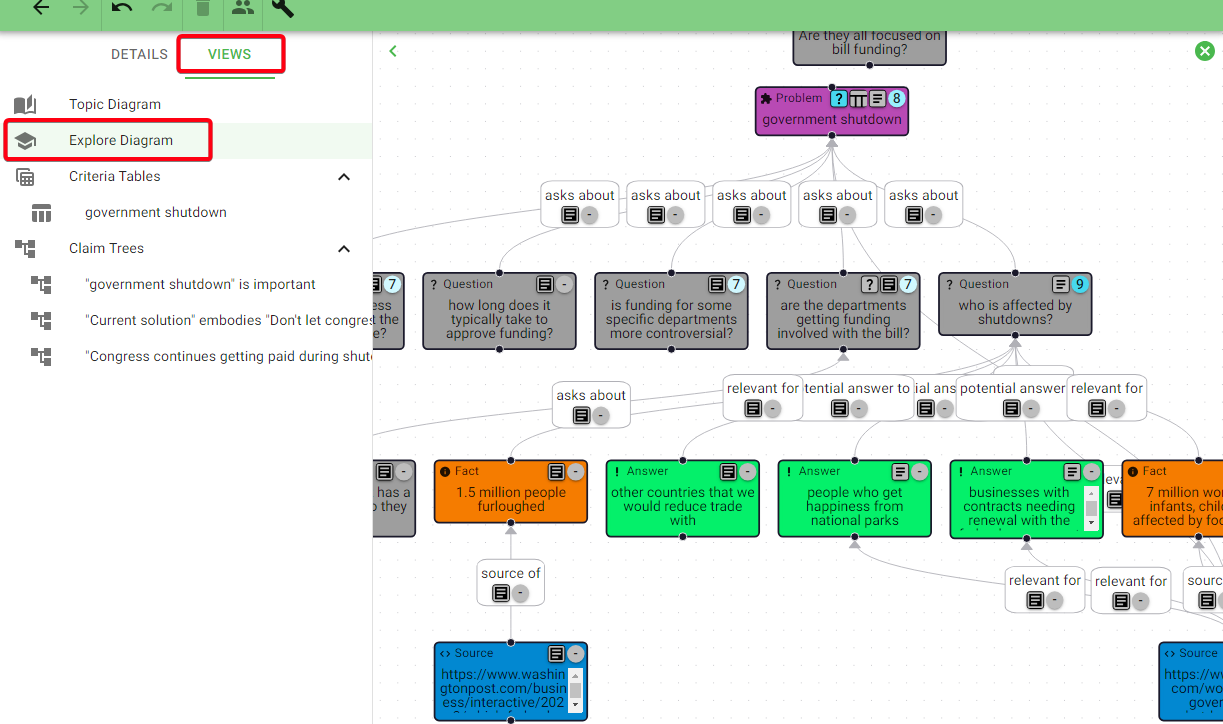
Thus far, it seems like these exploration nodes are all nice to have, but the process of researching and organizing information into Answer/Fact/Source nodes feels a little cumbersome compared to just taking notes with something like Google Docs. I’ll be on the lookout for ways to make this feel smoother - let me know if you have any ideas!
Unrestricted Editing
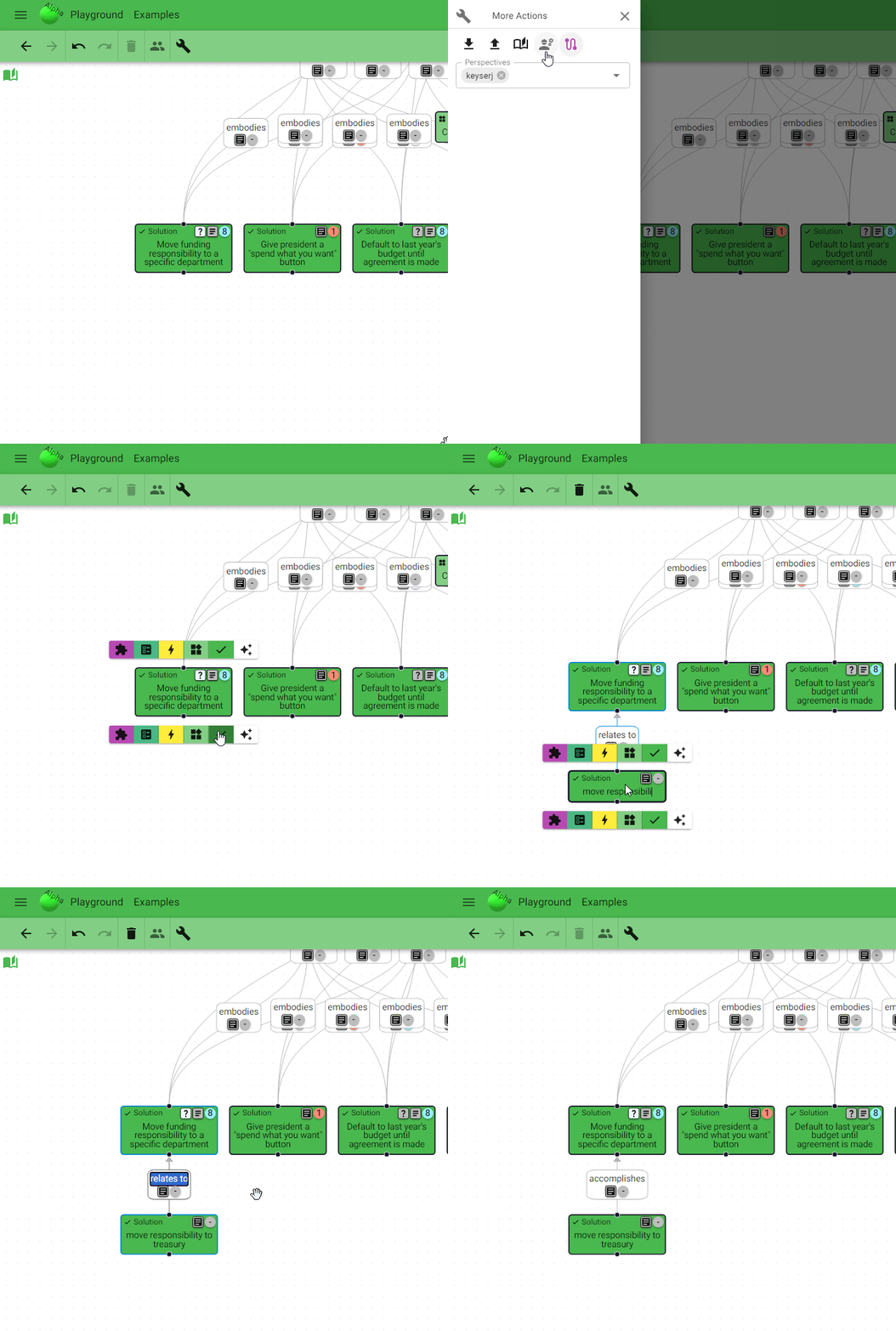
Exploration nodes will probably be worth keeping in some form, but it would’ve been nice if I could’ve experimented before implementing them. And I want to be able to experiment more with other node types too. So I created an Unrestricted Editing mode, where you can add any node to any other node, add custom nodes, edit node types, and edit edge labels:
Misc
I’ve made a bunch of other small improvements that you might notice, but here are just a couple that seem worth calling out.
Topic Visibility
If you’re logged in and you create a topic to be shared, you can now control who can see it, by setting it as public, unlisted, or private:
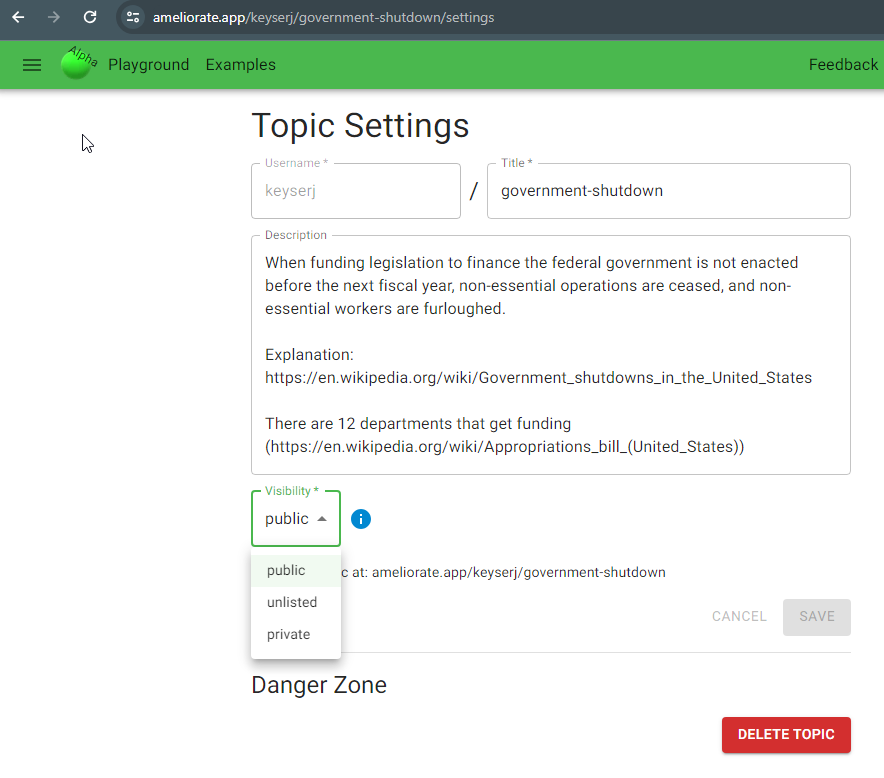
Private means that only you can view the topic, unlisted means that anyone can view the topic if they have the link, and public means that anyone can view it with the link but it will also show up in topic-sharing functionality like your topic list (at ameliorate.app/your-username).
Layout Improvements
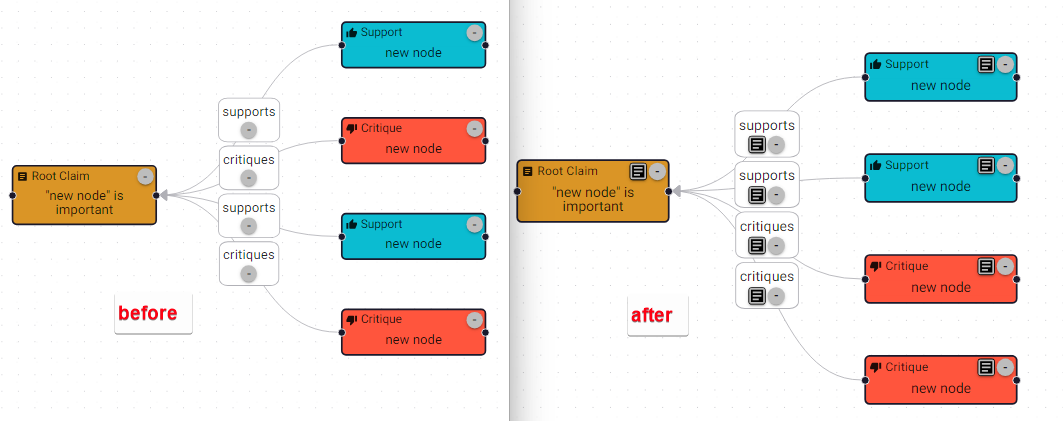
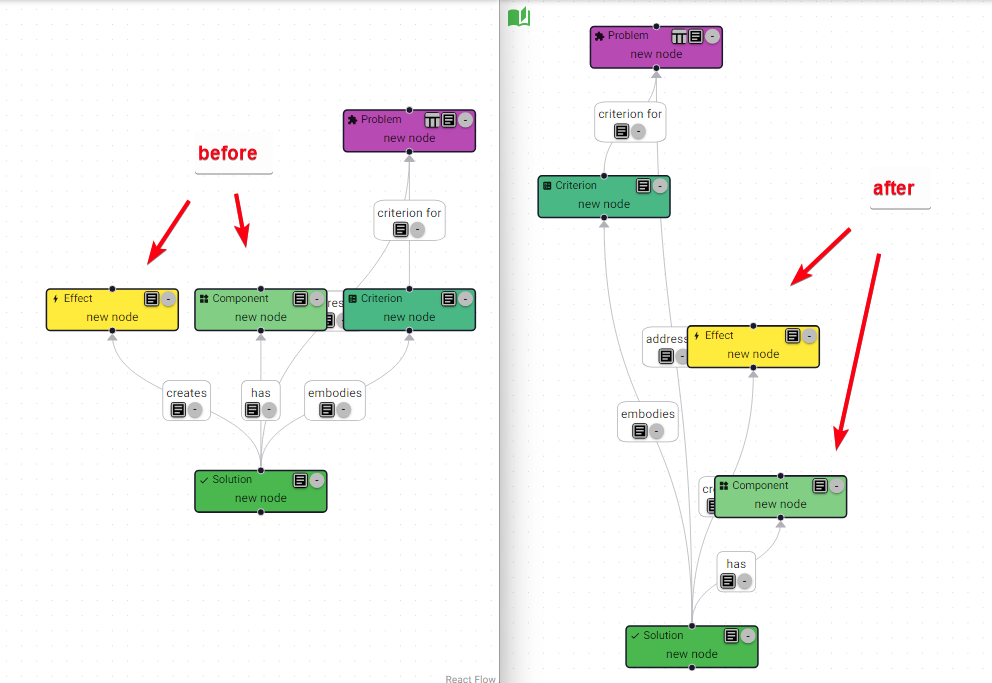
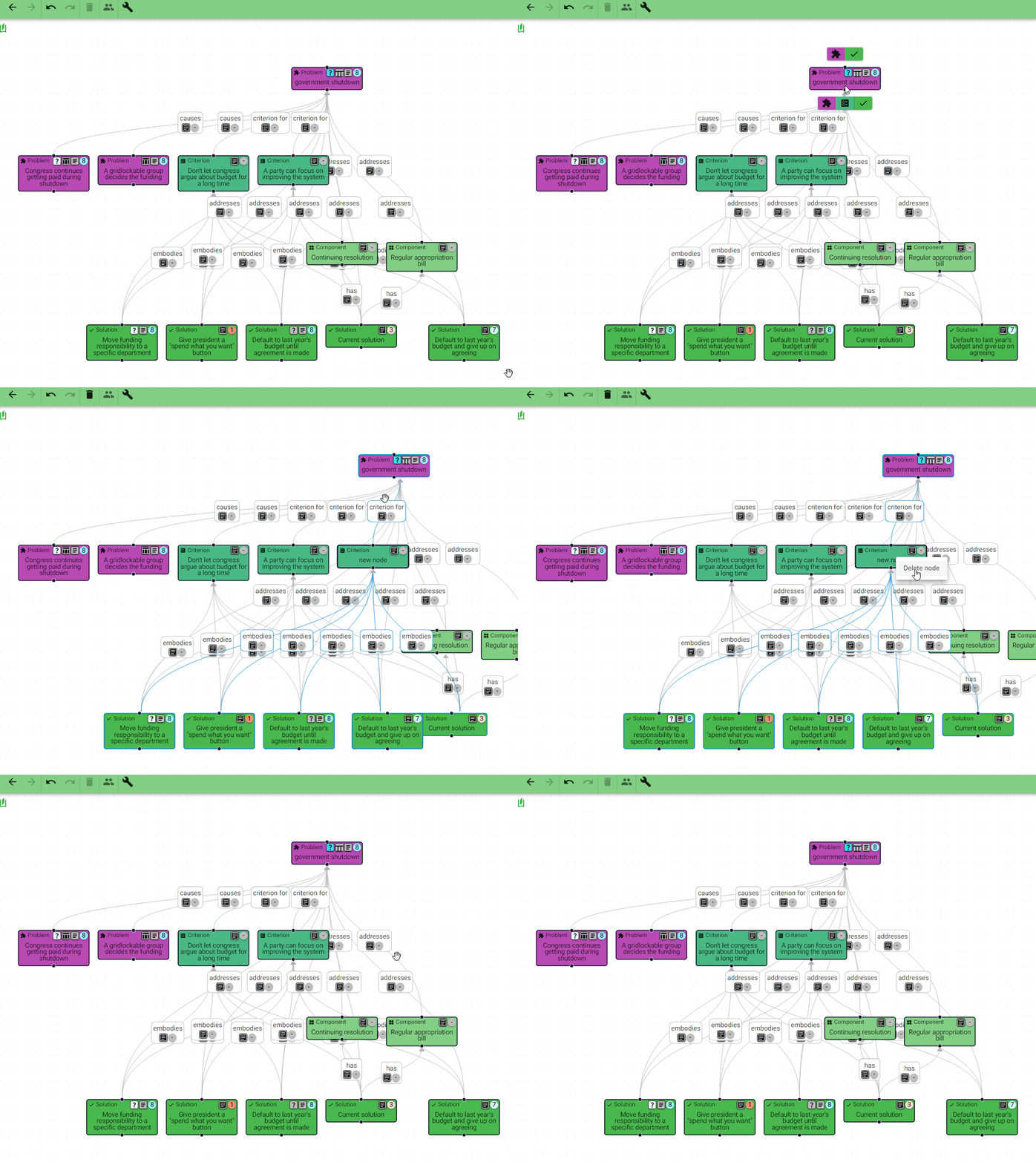
A few changes were made to the automatic layout to make the diagram easier to visualize.
Nodes of the same type are now generally placed next to each other:
Some nodes (criteria, effects, components, and solutions) are now generally placed into layers by their type:
Also: layout transitions! So you can see where nodes move when the layout is changed:
What’s Next?
There are a few small features I plan to work on based on previous feedback (e.g. weighted criteria table scores , sort criteria table by scores ), but after those I’d like to focus on improving how Ameliorate represents a group’s understanding (via diagram) and the process for building that understanding.
And I think live group discussions will be the perfect way to get ideas and feedback for these! So I’ll be hosting discourse sessions 🔥.

Discourse Sessions
Here is what I’m envisioning for a session:
- Groups of 3-6
- We pick a political/social/world/controversial issue to discuss
- Someone (probably me) facilitates, i.e. shares their screen and builds an Ameliorate diagram as we discuss (screen sharing is necessary until this is done)
- Everyone has their own Ameliorate account for scoring the diagram
- The goal of discussion is to build an improved, mutual understanding of the topic being discussed
- 1.5 hours total: 1 hour discussion, 30 minutes for intro and feedback
- Probably use the Ameliorate Discord server to meet remotely
I’m excited to discuss these kinds of issues, and I’m on the lookout to recruit others who’ll enjoy it too 😁. If you’re interested in participating, join this mailing list and you’ll receive invites when they happen.
Backlog
Beyond this, you can always check out the backlog for a list of ideas I’d like to implement. I’ve left the immediate upcoming work a bit bare so that there’s room to take on ideas that come up in the discourse sessions.
Onward!
That’s all for today! Thanks for reading, and don’t forget about the demo this Thursday 1/11/24 at 7pm 🔥.
Cheers 🙂
Understand ourselves. Understand each other. Grow together.
Ameliorate.