Ameliorate Update 9/25/23: Sharing and Comparing
TL;DR:
- You can now create an account, save your own topics, and share them with a URL
- You can put scores on other people’s topics, and compare your scores with theirs
- Demo live stream this Thursday 9/28 @ 7PM CT
- Next features will focus on having “a place for everything” — ensuring that there’s a place to put any information you find relevant for a topic
Hey everyone! Welcome to the first update post for Ameliorate 🙂. Here I’ll share progress that’s been made, and what’s coming up. For those who want to see the new features in action and/or prefer the opportunity for live feedback, I’ll be doing a casual demo via livestream this Thursday 9/28 @ 7pm CT — mark your calendars!
If you haven’t checked out the post announcing the tool and describing the background behind it, check that out here.
New Features
The last few months have been busy on foundational work, primarily spent learning and setting up the application’s backend. This work probably isn’t particularly interesting to most people (if you like software diagrams, you can see some of the work through these: architecture , schema , data flow ), but what’s important is that it has enabled some new features to be added!
Note: I’ve also decided to label the tool as being in Alpha , mainly to convey the expectation that the tool is usable but a bit clunky and unrefined.
Making and sharing your own topics
You can still use the playground (previously the “solve” page) to diagram on your own, but if you want to easily share your work and collaborate with others, you’ll have to make an account.
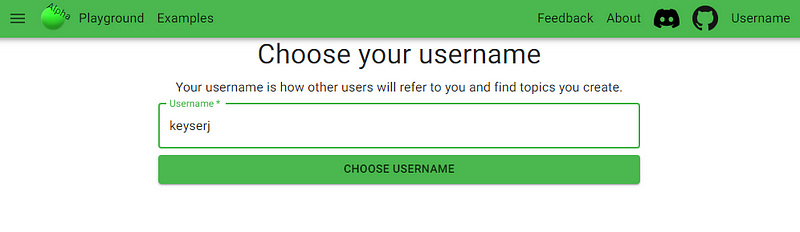
Once you make an account, you can create your own topics and share them with a URL based on your username — for example, you can view a list of my topics at ameliorate.app/keyserj :
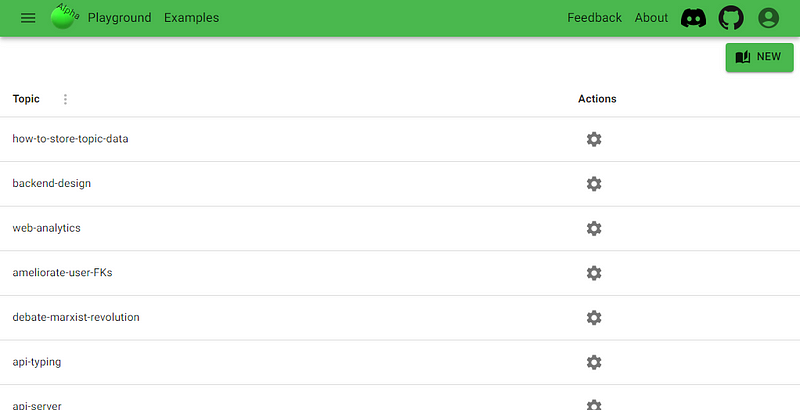
And you can share a specific topic by adding the topic name to the URL, like ameliorate.app/keyserj/api-typing .
Note: other people’s topics are read-only, aside from scoring.
Score other people’s topics, and compare scores
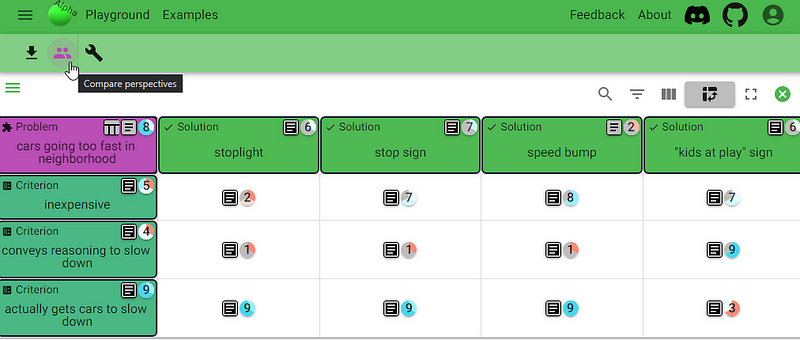
You can add your own scores to others’ topics, or they can score yours, and you can compare scores with each other. This should help identify disagreement and focus discussion.
If you’re logged in, the scores you’ll see by default are yours, otherwise you’ll see the scores of the person who created the topic. Clicking the “compare perspectives” button will show the average score across all users, and a split of colors representing each score that has been selected.
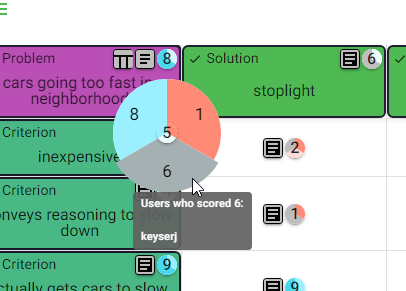
Opening any score shows more detail — which scores have been selected, and by whom:
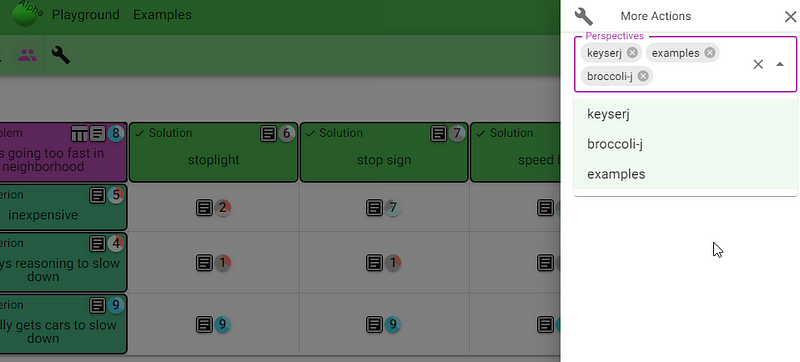
There’s also a More Actions button (the wrench) that lets you choose which people’s scores to show, if you want to:
Criteria table filtering (slightly jank)
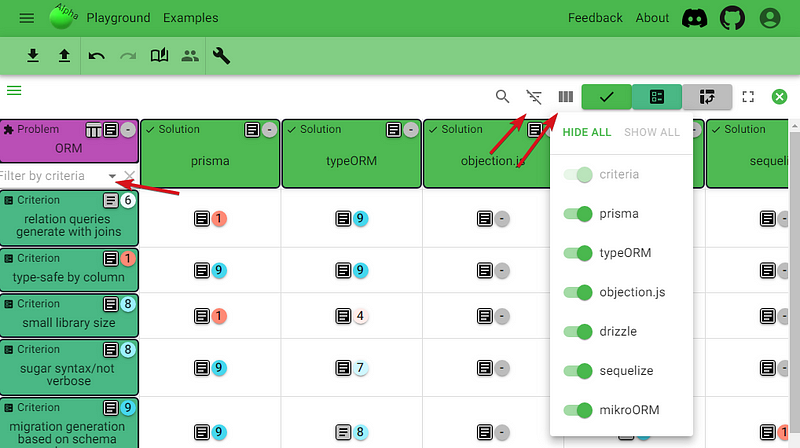
When making one of the backend decisions, I ended up creating a criteria table with an unmanageable amount of criteria (ameliorate.app/keyserj/ORM ). I think it’s good to be able to view all the criteria I had thought of, but I decided that a few of them weren’t important. For the sake of my final decision, I wanted to be able to look at only the criteria I still considered important.
So, as a quick solution (there are some problems ), I enabled filtering by row/column selection:
It might be nice to just have a button that hides criteria/solutions that are scored below X, but that’ll remain a potential future feature for now.
Looking Forward
Where I’ve already appreciated the tool
Personally, I’ve mainly gotten value out of the tool through the criteria table. The table format and scores are nice for understanding your own intuitions for problems whose complexity comes from having many different solutions, and whose solutions have many different ways they can be good.
Decisions around what tools to use for software development seem to have this kind of complexity, and are what I’ve used the table for. These might only be useful if you’re familiar with web development, but you can check out topics where I weighed options for api-typing , api-server , and ORM (note that you need to click on the problem’s table button to view the criteria table).
I think there’s extra value to be had when multiple people want to align on such a decision. For example, you could send a URL to your scored table out to a group before a meeting, have them throw some scores on, and have a more focused discussion when meeting time comes. I haven’t done too much testing in this department yet.
Clear need for improvement
I also haven’t done thorough testing of the diagramming aspect of the tool. When a problem’s complexity comes from needing to add many details in order to understand what the problem is, if there are many parts of the problem, causes of the problem, or solutions aren’t understood without specifying their parts and intents of their parts — this is when the criteria table doesn’t quite cut it, and where the diagramming is supposed to shine.
But from a few attempts at diagramming problems with this kind of complexity (social/political problems seem to be good examples to test with), it’s clear that there are many details that feel like they don’t have a place in the diagram, yet are very relevant. This makes the tool painful to use.
What’s next on the horizon?

My plan is to first make the tool not painful to use, by ensuring that all kinds of information have a place in the diagram. The specific issues that are planned to be done by the next update can be found here .
Once these are done, and the diagramming aspect of the tool is a little more usable, there’ll be a few options that could be worked on next. Overall, I haven’t used the tool enough for communication purposes (which is like the main purpose of the tool!), and feedback would be good to help choose what to work on next, so I’d like to host some group discourse sessions!
I’ve started racking my brain for ideas on how to do this, and I’m thinking it might be fun to pick some social or political topics for discussion. I’ll be surveying for interest and sending out an explanation of what these sessions might look like, probably after the next update post (1–2 months?), so stay tuned.
That’s all for today, thanks for reading!
Cheers 🙂
Understand ourselves. Understand each other. Grow together.
Ameliorate.